
TL;DR
- Flexispot E7L Pro – Best for Heavy-Duty Gaming Command Centers – triple-motor L-shape rated to 330 lb static, reviewed by PC Gamer and TechRadar
- Desky – Best Overall L-Shaped Standing Desk for dual-monitor and heavy computer setups – 496 lb triple-motor frame, BIFMA/EESS/TÜV Rheinland/AFRDI certified
- Secretlab Magnus + L-Shaped Extension – Best for Modular Battlestation Setups – MAGRGB and MAGPAD ecosystem built around gaming chairs
- The bottom line: a genuine triple-motor frame with capacity to spare beats a wider top that’s already maxed out.
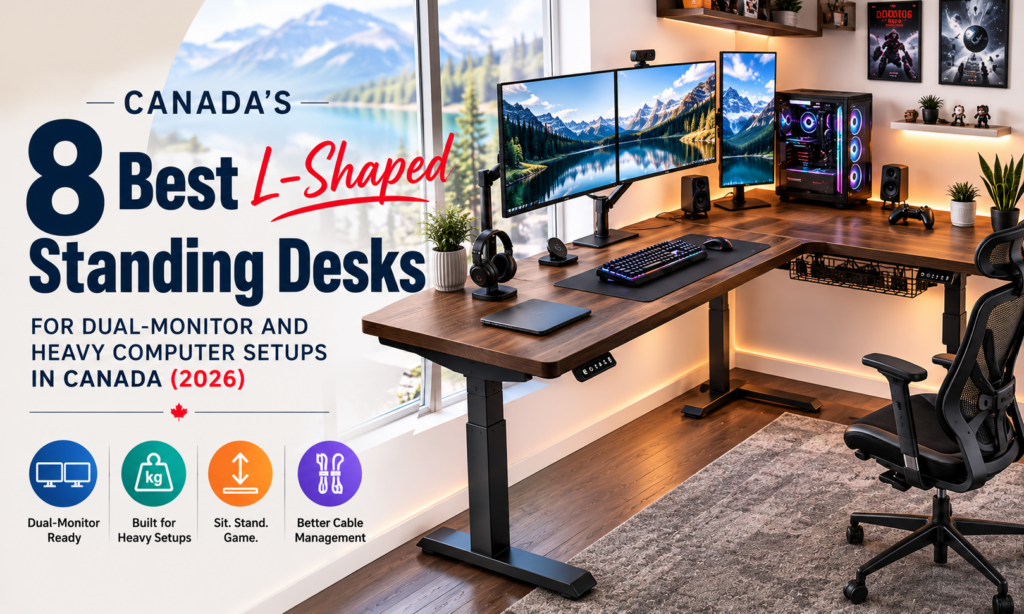
For dual-monitor and heavy computer setups in Canada, the L-shaped desks that hold up share one trait: a genuine triple-motor frame with real weight capacity in reserve, not just a wider top. Flexispot’s E7L Pro carries that job at the gaming end, Desky’s L-Shape Laminate Sit Stand Desk backs it with the deepest certification list here, and Secretlab’s Magnus battlestation builds it around a modular gaming setup.
A dual monitor arm, a full tower, and a dock add up fast, and a straight desk runs out of room before the weight limit even matters. The eight L-shaped standing desks below suit remote professionals, gamers, and offices standardizing on one corner frame.
No affiliate links here and no commissions either. Every brand below was researched independently, and nothing on this list was paid for or provided by the companies featured.
What an L-Shaped Standing Desk Needs for Dual Monitors and Heavy Hardware
A heavy computer setup punishes a desk in ways a laptop never will. Here’s what matters when stacking two monitors and a tower onto one frame:
- Weight capacity with headroom: two monitor arms alone can run 30-40 lb, so a desk rated close to your total load has no margin left.
- A genuine triple-motor lift: dual motors suit a straight desk, but a corner desk needs a third motor syncing the return leg.
- Desktop depth for a monitor arm clamp: a 20-inch-deep wing leaves almost no clearance once a tower shares the surface.
- Cable management built for more than a charger: check whether it ships with the frame or sells separately.
- Certifications that back up the rating: BIFMA and TÜV Rheinland marks confirm the frame was tested, not just advertised.
8 L-Shaped Standing Desks Built for Dual-Monitor and Heavy Computer Setups
|
# |
Provider |
Award |
Weight Capacity |
Motors |
Warranty |
Price (CAD) |
|
1 |
Flexispot E7L Pro |
Best for Heavy-Duty Gaming Command Centers |
330 lb static |
Triple |
15-yr frame/motor |
Priced at checkout |
|
2 |
Desky L-Shape Laminate |
Best Overall L-Shaped Standing Desk |
496 lb |
Triple |
10-yr frame/electronics, 5-yr desktop |
$1,399 |
|
3 |
Secretlab Magnus + L-Extension |
Best for Modular Battlestation Setups |
220 lb (extension) |
Dual (main desk) |
5-yr frame/motor |
Priced at checkout |
|
4 |
Steelcase Migration SE Pro |
Most Expensive |
Not published |
Not published |
Dealer-quoted |
Dealer-quoted |
|
5 |
Herman Miller Renew, 120° Corner |
Best Corporate |
Not published |
Not published |
Dealer-quoted |
From $2,930 |
|
6 |
Effydesk Grove |
Best Support |
410 lb |
Triple |
10-yr (20-yr with review) |
$1,425 |
|
7 |
Autonomous DuoSpace |
Best Reversible Layout for Flexible Gaming Setups |
400 lb |
Triple |
10-yr frame, 2-yr top |
$1,299 |
|
8 |
Vernal L-Shaped Desk |
Best Newcomer |
350 lb |
Triple |
15-yr |
~$679-950 USD |
1. Flexispot E7L Pro – Best for Heavy-Duty Gaming Command Centers
Flexispot’s E7L Pro runs three independently powered motors, one per leg, so the corner lifts level instead of racking under load. The two sections combine into a 63″ x 47″ footprint, rated to 330 lb static with a 15-year warranty on the frame, motor, and electronics. PC Gamer and TechRadar both reviewed it as a gaming desk.[1][2]
Pros:
- Triple-motor frame syncs the L-shape’s return leg instead of relying on one motor
- 330 lb static rating with room for a tower and two monitor arms
- Reviewed by PC Gamer, TechRadar, and Gaming Trend as a gaming L-shape[3]
Cons:
- CAD pricing isn’t shown until checkout
- Chipboard finish carries only a 2-year warranty versus 5 years on bamboo/solid wood
Ideal for: Gamers and streamers who want an L-shaped command center rated for a full tower and multiple monitors.
Contact Flexispot:
Address: 10 Newkirk Ct, Brampton, ON L6Z 0J9, Canada
Phone: +1 (855) 585-5618
Facebook: facebook.com/flexispot
2. Desky – Best Overall L-Shaped Standing Desk
Desky L-Shape Laminate Sit Stand desk runs a triple-motor lift rated to 496 lb, the highest listed capacity on this list, backed by BIFMA, EESS, TÜV Rheinland, and AFRDI certification, with a 10-year warranty on the frame and electronics (5 years on the desktop surface). Desky sells a purpose-built Integrated Cable & Power Channel as an accessory for the frame, rather than folding it into the base price.
Tom’s Guide has featured Desky in its home-office coverage [4], and a Trustpilot reviewer named Renee, rating the brand 5 stars, wrote that “the center curvature for more ergonomic set up is great” and that adjusting it to her height “really has helped my back.” [5]
Desky also carries a hardwood version of this frame, plus a smaller Dual Mini for anyone who doesn’t need the full footprint.
Watch: https://www.youtube.com/watch?v=SDxOpD8fH7E
Pros:
- 496 lb weight capacity on a triple-motor frame, BIFMA/EESS/TÜV Rheinland/AFRDI certified
- Integrated Cable & Power Channel available as a purpose-built accessory
- App and Siri voice control with 4 height presets
Cons:
- The Integrated Cable & Power Channel is sold separately
- At $1,399 CAD, it isn’t the cheapest L-shaped frame here
Ideal for: Buyers who want the highest certified weight capacity and longest warranty split here.
Contact Desky:
Address: 1270 Humber Place, Ottawa, ON, Canada
Phone: +1 800-657-5042
LinkedIn: linkedin.com/company/deskydesk
3. Secretlab Magnus + L-Shaped Extension – Best for Modular Battlestation Setups
Secretlab’s Magnus Metal Desk pairs with a dedicated L-Shaped Extension, a 63.6″ x 23″ wing that bolts on and carries its own 100kg (220 lb) rating. The extension plugs into Secretlab’s MAGRGB lighting and MAGPAD ecosystem, built for the brand’s gaming chairs. TechRadar named the related Magnus Pro its “top standing desk for gamers.”[6]
Pros:
- L-Shaped Extension adds 63.6″ x 23″ of surface, independently rated to 220 lb
- Only compatible with the Magnus Metal Desk, keeping the setup one matched ecosystem
- MAGRGB lighting and MAGPAD accessories built for a cable-managed battlestation
Cons:
- The extension’s 220 lb rating is lower than most L-shapes here
- Main desk pricing and specs aren’t published outside checkout
Ideal for: Gamers already using Secretlab chairs who want a matching, modular L-shaped setup.
Contact Secretlab:
Address: no public Canadian office listed; ships to Canada via Secretlab website
Instagram: instagram.com/secretlab
4. Steelcase Migration SE Pro – Most Expensive
Steelcase’s Migration SE Pro ships in 90-degree and 120-degree corner configurations built for office fit-outs, not a single home desk, though the same commercial-grade stability suits a serious gaming rig too. Pricing runs through Steelcase’s dealer network, not a public checkout.
Pros:
- Corner configurations designed for real office footprints
- Commercial-grade build backed by Steelcase’s dealer network
Cons:
- No published consumer pricing; every quote runs through a dealer
- Not built for a fast, direct purchase
Ideal for: Facilities managers standardizing a team on matching corner workstations.
Contact Steelcase:
Address: 200 King Street West, Suite 2400, Toronto, ON M5H 3T4, Canada
Phone: +1 416-542-7700
LinkedIn: linkedin.com/company/steelcase
Worth noting: CCOHS guidance recommends keeping the top of your monitor between eye level and roughly 35 degrees below it while standing, which only works if a desk’s height range actually clears your tallest posture.[7]
5. Herman Miller Renew, 120° Corner – Best Corporate
Herman Miller’s Renew collection includes a 120-degree corner configuration under its Thrive Ergonomic Portfolio. The standard rectangular Renew starts around $3,500 CAD through Herman Miller’s own store, and the 120-degree corner itself is quoted through its Toronto showroom and dealer network rather than listed at a fixed price.
Pros:
- Corner option designed for shared office footprints
- Backed by Herman Miller’s enterprise design and dealer network
Cons:
- Starts around $2,930 CAD and climbs
- Weight capacity and motor specs aren’t published
Ideal for: Companies standardizing on a design-forward corner desk.
Contact Herman Miller:
Address: 200-462 Wellington St W, Toronto, ON, Canada
Phone: 416-366-3300
Facebook: facebook.com/hermanmiller.toronto
6. Effydesk Grove – Best Support
Effydesk’s Grove L-shaped desk runs three motors to a 410 lb capacity, with a built-in cable tray and a keypad that saves 4 height presets. The Coquitlam, BC company backs it with a 10-year warranty, extendable to 20 years with a product review.
Pros:
- 410 lb capacity on a triple-motor frame, with a built-in cable tray, not sold separately
- 10-year warranty extendable to 20 years with a review
- Vancouver-area company with a visible pattern of resolving order issues
Cons:
- No publicly listed phone number
- Priced above some competitors with comparable capacity
Ideal for: Canadian buyers who want a local company and responsive support.
Contact Effydesk:
Address: 110-2440 Canoe Ave, Coquitlam, BC, Canada
Instagram: instagram.com/effydesk
7. Autonomous DuoSpace – Best Reversible Layout for Flexible Gaming Setups
Autonomous’s DuoSpace L-shape runs three synced motors to a 400 lb rating, and the corner reverses to either side of the room. At $1,299 CAD, it undercuts most other L-shapes here.
Pros:
- 400 lb capacity with three motors synced to lift the corner level
- Reversible left/right configuration
- Lower entry price than most L-shaped desks here
Cons:
- Desktop surface carries only a 2-year warranty, shorter than most here
- No confirmed Canadian office; ships in from the US
Ideal for: Buyers who want the flexibility to configure either side of a room.
Contact Autonomous:
Address: no confirmed Canadian office; ships to Canada via Autonomous website
WhatsApp: +1 (866) 828-5886
Facebook: facebook.com/autonomousdotai
By the way, a verified Trustpilot reviewer gave Autonomous a one-star rating in August 2026 over an unclear assembly guide and poor-quality cable management, worth factoring into your own research.[8]
8. Vernal L-Shaped Standing Desk – Best Newcomer
Vernal’s L-shaped desk runs three motors to a 350 lb rating, backed by a 15-year warranty and two cable trays, one on the crossbar and one under the desk. The company ships to Canada from a US office and doesn’t yet carry the track record of the older brands here.
Pros:
- 350 lb capacity on a triple-motor frame, 15-year warranty
- Two cable trays included, one crossbar-mounted and one under-desk
- Reviewed independently by TechRadar
Cons:
- No Canadian office; ships in from a US warehouse
- Newer brand with less track record than the rest of this list
Ideal for: Early adopters comfortable buying from a newer, US-based brand.
Contact Vernal:
Address: 6145 Spring Mountain Rd, Suite 202, Las Vegas, NV 89146, USA (ships to Canada)
Phone: +1 213-429-4099
Instagram: instagram.com/vernal_space
What Makes a Standing Desk Good for Gaming?
A gaming setup asks more of a desk than a laptop workspace ever will. Five factors separate a frame that keeps up from one that becomes the bottleneck.
A. Monitor Space
Dual and triple-monitor setups, plus an ultrawide screen or a monitor arm, need desktop width a single screen never demanded, and speaker placement eats into what’s left.
B. Stability
A mechanical keyboard and a fast-swept gaming mouse both send vibration into the desktop, and a monitor arm amplifies wobble at full height. A synced triple-motor lift resists that flex better than a dual-motor frame.
C. Cable Management
A gaming rig routes far more cable than a laptop charger: PC power cables, monitor cables, a power bar, and USB hubs. Cable trays, channels, and rear cutouts keep that tangle off the floor.
D. Weight Capacity
A full gaming setup adds weight faster than most buyers expect. A desktop PC, two or three monitors, monitor arms, speakers, a microphone, a webcam, and a console can push past 100 lb combined.
E. Height Adjustment
Sitting and standing positions each call for a different desk height, and a shared gaming station needs a range wide enough for a tall user and a shorter one. Saved presets make switching fast.
FAQs
How much weight capacity do I need for two monitors and a PC tower?
Two monitor arms alone can run 30-40 lb, and a full tower adds 20-30 lb more, so aim for at least 300-350 lb of rated capacity.
Will a standing desk wobble with a heavy setup at full height?
A dual-motor frame can flex under a heavy load, which is why every desk here runs three motors syncing the L-shape’s return leg.
Do I need a monitor arm, or can I mount monitors directly on the desktop?
A monitor arm frees up desk space but needs real depth to clamp on securely, generally 24-29 inches.
What makes Desky’s L-shaped Laminate Sit Stand desk different from the other options on this list?
Desky L-Shape Laminate Sit Stand Desk carries the highest listed weight capacity here, at 496 lb, along with BIFMA, EESS, TÜV Rheinland, and AFRDI certification that most competitors don’t publish.
Is Desky’s Integrated Cable & Power Channel included, or sold separately?
It’s sold as a separate accessory built for the frame, so add it at checkout if you want the cable-managed look.
The Bottom Line
A heavy computer setup doesn’t forgive a desk rated close to its actual load, which is why every entry here runs at least three motors and a real weight-capacity margin. Desky’s L-Shape Laminate Sit Stand Desk stands out on certified capacity, Flexispot and Secretlab lead on gaming-specific reviews, and Steelcase and Herman Miller cover the enterprise end. Check the weight rating against your full setup, not just the desktop width.
References:
- PC Gamer. (2026). FlexiSpot E7L Standing Desk Review. https://www.pcgamer.com/hardware/gaming-desks/flexispot-e7l-adjustable-standing-desk-review/
- TechRadar. (2024). FlexiSpot E7L Pro L-Shaped Standing Desk Review. https://www.techradar.com/pro/flexispot-e7l-pro-l-shaped-standing-desk-review
- Gaming Trend. (2026). FlexiSpot E7L Standing Desk Review. https://gamingtrend.com/reviews/flexispot-e7l-standing-desk-review-big-on-space-strong-on-performance/
- Tom’s Guide. (2026). How to Convert a Normal Desk to a Standing Desk. https://www.tomsguide.com/home/home-office/how-to-convert-a-normal-desk-to-a-standing-desk-for-less-than-usd100
- Trustpilot. (2026). Desky Reviews. https://www.trustpilot.com/review/desky.com
- TechRadar. (2026). Secretlab Magnus Pro Review. https://www.techradar.com/pro/the-secretlab-magnus-pro-is-stable-highly-modular-beautiful-and-made-with-quality-materials-our-top-standing-desk-for-gamers-gets-a-spring-sale-price-cut
- Canadian Centre for Occupational Health and Safety. (2026). Office Ergonomics – Sit/Stand Desk. https://www.ccohs.ca/oshanswers/ergonomics/office/sit_stand_desk.html
- Trustpilot. (2026). Autonomous Review. https://www.trustpilot.com/reviews/6a82cbe97a47c974b35014db